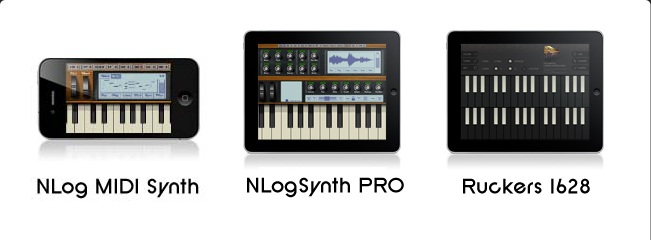
The plug-in version now supports VST for Mac in addition to Audio Units.
Support of AudioBus and audio input has been added.
NLogSynth PRO & NLog MIDI Synth:
- True Mono/Legato Mode
- MIDI Learn
- Overdub Recording & Looping
- Sound Bank Import & Export
- Core MIDI Network Support
- Full MIDI CC Range 0-127 for external control
- Export Media Files in Another App
- New Default Sound
- Reset Parameter to Default Value
- Running Phase parameter improved & fixed.
- Update to new SDK for Akai SynthStation 25
NLogSynth PRO only:
- Modulation of the keytrack source has been increased within modulation matrix.
- The flat setting for envelope slopes fixed.
NLog MIDI Synth only:
- Optimized for devices with arm7 based CPUs
- Occasional muting of NLog after incoming phone calls fixed
And many other fixes and improvements.
The updates require iOS 5 minimum.
Check out some great synth sounds provided by App-Sounds!
Here are the new features:
Transposition
Go to "Sys/Pitch" to apply a global transposition +/-12 semitones.
Oscillator Running Phase
Go to "Sys/Pitch" to select between oscillator "running phase" and "reset phase": Use reset phase for percussive sounds, and running phase for analogue style sounds.
Settings Menu Renaming
Former "Wheels" and "XY" settings menus are merged into one called "Control."
Former "Perf" menu is renamed to "Knobs."
NLog Mini Sound Bank
The NLog Mini sound bank is permanently included providing dry and classic synth sounds.
MIDI Sync
MIDI Sync slave mode can be used to synchronize NLog's arpeggio with other MIDI devices or apps. NLog keeps track of tempo changes as much as possible.
Arpeggio Sync
Arpeggio sync is now also available for the standalone app. The overall stability of tracking has been approved. The Audio Unit has now an option for switching between key press sync and downbeat sync.
Import / Export Sound Banks
You can now import & export complete sound banks of 32 patches.
Sample Rate Changes
The standalone app now adjusts its internal audio engine to the device sample rate. Thus, no sample rate conversion is involved. The Audio Unit version always used the Audio Uni hosts sample rate natively.
Mono / Legato / Poly
Mono / Legato / Poly mode is now also for Audio Unit available.
Audio Unit Installer
The Audio Unit has now a little installer for easier installation.
Other
Finally many bug fixes and performance improvements like
Arpeggio playback performance has been improved
Arpeggio Sync stability has been improved
The Audio Unit now interprets sustain controller messages
The Audio Unit pitch bend UI now works
Vienna Ensemble PRO host now works with NLog Audio Unit
Standalone app wave recording has been extended to 4 min.
Here are the new features:
New Settings:
- Vertical Knob Mode (in Sys/Knobs)
- Global Transposition (in Sys/Pitch)
- Oscillator Running Phase (in Sys/Pitch)
- New Device Section for individually managing MIDI Devices (in Sys/Devices)
- Settings Menu Renaming (Wheels & XY merged into Control, Perf renamed to Knobs)
General:
- Mute Switch now ignored for ease of use
- New NLog Mini Sound Bank included (PRO version only)
- Audio Background Mode option for running in Parallel with other Music Apps
- Connecting other Apps via Virtual MIDI Ports like playing NLogSynth from SoundPrism PRO
- Wav Recording increased to 4 min on iPad2 (PRO version only)
Sync:
- Arpeggio Sync On/Off option
- MIDI Clock for Sync with other MIDI apps or devices
- WIST for Start/Stop & BPM Sync with Korg Apps and other
Check out some nice old school synth sounds here.
A Mac OSX version of the NLogSynth PRO called "NLogPoly Synth" will be released at May 21st. Users who have bought and installed the standalone app version of NLogPoly Synth from the Mac App Store can download the Audio Unit extension for free from this website. Audio Units can be hosted and integrated into programs like Apple's Logic Studio, GarageBand, MainStage or Ableton's Live.
A Mac OSX version of the NLogSynth PRO called "NLogPoly Synth" will come soon... Keep updated and follow @nlogmusic on Twitter!
Happy New Year!
All updates are available on the App Store.
Updates for NLog MIDI Synth & NLogSynth PRO in review with Apple.
What's new in NLog MIDI Synth update 2.5:
What's new in NLogSynth PRO update 3.2:
NLog MIDI Synth version 2.5 is in review with Apple. Support for Akai Pro's SynthStation25 keyboard controller is included. SynthStation25 delivers instant hardware control for improved performance capability and expression. For more information on SynthStation25, visit http://www.synthstationapp.com.

NLogSynth PRO for iPad available on the App Store:
NLogSynth PRO available on App Store
NLog MIDI Synth is now available on the App Store. It enhances the former NLog Synthesizer with MIDI connectivity supporting Line6' MIDI Mobilizer interface. NLog MIDI Synth will supersede the classic NLog Synthesizer.
NLog MIDI Synth is still in review with Apple. The new app supports MIDI interfaces like Line6' MIDI Mobilizer. More hardware like Akai's Synthstation will be supported as they become available.
NLogSynth PRO for iPad is in beta phase!
There is now a manual for NLog Synthesizer for download. It describes all features of the full version. Select Documentation section for download link.
Enjoy!
The new versions of NLog Synthesizer 2.1 and NLog Synth Free 2.1 support audio pasteboard to Beatmaker and Sonoma apps like FourTrack.
Read here how it works:
First, select a sound you like in NLog Synth and switch to the "Tape" screen from the main menu (in NLog Synth Free you have to acquire the InApp Purchase option "Record, Export & Pasteboard" from the "Store" page). Press "Rec." and play your music on the keyboard. You may also use the wheels. The recording starts automatically when you press the first key. For finishing press the "Stop" button.
In order to export the recording to BeatMaker or Sonoma compatible apps, you have to save the recording first. So, press "Save" and give the recording an appropriate name. After save NLog shows automatically the media list of all your recordings. Make sure that your recording is selected. After saving this should be automatically the case. You recognize the selected recording from highlighting in "blue".
Now, select the "Export" button and select either "BeatMaker Pasteboard" or "Sonoma Pasteboard" from the list. That's all to be done in NLog. Quit the app and start BeatMaker or FourTracks.
In BeatMaker you go to the "Pad" display from the top menu. Press "File" on the left side and move to the "CLIPBOARD" section by clicking the arrow down button on the bottom left side a few times. Select "PASTE" and navigate to your preferred folder like "My Audio Recordings". Press "PASTE" and give the recording an appropriate name.
From the "Sample" menu on the left you can now load your NLog recording by pressing "LOAD" and navigate to the folder where you have saved the file. Don't forget to select the appropriate pad button first.
In Sonoma compatible apps like "FourTrack" you navigate to "SongTools" and select "AudioPaste". Select your options and simply press "Paste" and you are done.
Now have fun with your recordings!
The new versions of NLog Synthesizer 2.1 and NLog Synth Free 2.1 have a professional arpeggiator.
For activating the arpeggiator you have to select the "Keyb" page from the main menu. In NLog Synth Free you have to acquire the "Arpeggio" option first from the "Store" page. In the top left corner of the "Keyb" display you have to press the "Arp" button. It leads you to the arpeggio subpage. Here you press the "ArpOn/Off" button to toggle to "Arp On" mode. Now just press a few keys. The keyboard is automatically switched to "hold" mode in arpeggio. With the other buttons on the arpeggio subpage you control the arpeggio style:
The "Algo" button toggles through a set of different arpeggio algorithms from simple up or down to more complex ones. Here is the list with schematic explanations:
Up -> 1 2 3 4 1 2 3 4 1 2 3 4 ...
Dwn -> 4 3 2 1 4 3 2 1 4 3 2 1 ...
UpDo -> 1 2 3 4 3 2 1 2 3 4 3 2 1 ...
Up2 -> 1 3 2 4 1 3 2 4 1 3 2 4 ...
Dwn2 -> 4 2 3 1 4 2 3 1 4 2 3 1...
OrgU -> 1 1 2 1 3 1 4 1 1 1 2 1 3 1 4 1 ...
OrgD -> 4 4 3 4 2 4 1 4 4 4 3 4 2 4 1 4 ...
Rand -> random like 3 4 1 2 3 1 3 2 4
OrgR -> random with fixed note 4 1 2 1 3 1 4 1 1 1 2 1 1 1 4 1 ...
Chrd -> chord mode
The "Oct" button toggles between the range of used additional octaves. In the "Org..." algorithms every second notes are never affected by the octave setting. Thus, in the "Org..." algorithms every second note a constant key is repeated independent of the octave settings.
The "Rthm" button toggles between different rhythmic patterns including accent patterns.
The "Rept" button toggles between the number of repetitions of a note before the next note of the algorithm is played.
The "Hum" button toggles between different level of "humanising" playback in terms of temporal precision, length variation and accents.
The "Swng" button controls the swing from even notes (50%) to heavily punctuated notes (95%).
The "Len" button controls the length of the notes relative to the beat from 5% to 95%.
The "+" and "-" buttons controls the BPM from 40 to 320. Keeping the button hold will automatically count the BPM up rsp. down. Alternatively you can tap the tempo in between both buttons.
To the right side of the "+" button you control the metrical division from 1/4 to 1/32 including some triplets.
Arpeggio Transposition Modes
The "Trans" button controls the transposition modes. In the transposition mode you transpose the arpeggio by simply pressing a single key to which the arpeggio is transposed.
There are three states "Off", "Chrm" and "Diat". The latter two modes puts the keyboard into a transposition controller:
First, the hold arpeggio notes are moved invisibly to the upper manual (dual keyboard).
Second, the lowest note of the arpeggio is hold on the keyboard.
If you are now changing the hold note by pressing a different key, the arpeggio will be automatically transposed. Thus, you can play the arpeggio much like a pattern based player.
The two modes "Chrm" and "Diat" differs in the way the transposition is executed. In "Chrm" mode the arpeggio is simply transposed chromatically. In "Diat" mode NLog tries to identify the tonality of the arpeggio and stays in that tonality if the transposition key is also in that key, e.g.:
Arpeggio is C-E-G-B , thus NLog is detecting a C-Major key. If you now press D as the transposition key NLog will transpose to D-F-A-C.
In chromatic mode NLog would have transposed this example to D-F#-A-C#
If you switch to "dual mode" with both keyboard on the screen. You can actually see and control the arpeggio keys at the upper keyboard. However, once you switch transposition mode to "Off" the arpeggio keys are swapped back to the lower keyboard.
Arpeggio Storage
The arpeggio settings are stored within each sound patch.
When transposition mode is activated, also the arpeggio keys are stored in the patch. Thus, you can store the transpositional patterns with your sound and make them an inherent ingredient.
Fantastic Feedback for New 2.1 Update:
The best synthesizer in the appstore for my money. Clean, polished, great look and feel, and sound. Highly recommended if you are into playing with sound!!
- Briareus, Canada -
Update - the new version is even more awesome with it's export function. Being able to create arpeggios, chord progressions and lead solos and export to Beatmaker is VERY cool! Next up, midi via wifi maybe? THAT would be simply awesome! Playing this synth from my 88 note weighted keyboard would rock! This is absolutely brilliant!! I am a professional musician and keyboards are my main instrument. I have a room full of real, hardware, vintage analog synths and this app really does sound and feel like the real thing..... and it is actually responsive and playable with almost no latency. Stereo audio, polyphonic, velocity responsive keyboard (play keys in different places for velocity) and you can tweak the knobs as you play. Brilliant! I've played with other synth apps and most have been gimmicks but this is actually a truly useable instrument. No need to contemplate this one.... Just hit the buy button! You won't be disappointed! .....and no, I do not know or work for the developer!
- AusDisciple, Australia -
Wonderful. After the last update this is unbeatable. Fantastic fantastic fantastiiiiiiiiiiic
- pisquano, United Kingdom -
What can I say? This update has put the wonderful Nlog at the top of the synth app tree. No other VA synth on your iPhone comes close for simplicity, GUI and sound. There maybe deeper modular types out there but you will keep coming back to Nlog time and time again. And how much!!!! 5 years ago this would have cost you £150. Just marvelous.
- CM1968, United Kingdom -
Version 2.1 put's this app in the big leagues. The arpegiator is awesome. Keep the updates coming though. What will you guys do next? I'm really impressed, you did a great job. If your into synth apps this is a Must have.
- MAC Dtune, United States -
Cheers! Release 2.1 has been submitted to Apple.
New Features are:
RECORDING & PLAYBACK
- Recording to Wave File
- Playback of Recordings
- Looped Playback
- File management
EXPORT
- WiFi Export
- Send Recordings by Email
AUDIO PASTEBOARD
- Copy to Sonoma Pasteboard
- Copy to Beatmaker / Intua Pastebord
TOOLS
- Metronome
KEYBOARD
- Arpeggio
- Glissando (slide over locked keyboard)
- Hold Keyboard Mode (key pressed keys sticky)
PATCHES
- New "ARP:xy" Sound Bank with arpeggios
XY-CONTROL
- Default return for XY controller
PATCH EDITING
- Sync Mode for Delay
Here are some patches to have fun with. Load this page with your iPhone or iPod Touch browser and click on one the links. NLog will open. If you like the sound, save it to one of your user banks.
48 Oheim
TeaseYou
KletterWad
Strumpf
Dongk
TickMe
We have added some documentation about NLog Synth sound editing. It is a starting point to learn about NLog Synth, although not a beginner's tutorial which might be added later.
NLog Synth Free version 2.0 has been released for download from the App Store. Have fun!
NLog Synth Free version has been updated to 2.0 and scheduled to Apple for review. Please cross your fingers that release to App Store will be fast!
We are interested to hear and watch your projects using NLog Synth. If you have links to mp3, videos, pictures, blogs etc. we might refer to, please email us!
We want to increase our group of beta tester.
If you are interested, please email us!
Palm Sounds website is performing poll about next feature wishes for NLog Synthesizer.
Please vote!
New website is online. Content is still beta. So, please keep watching!